
Parents
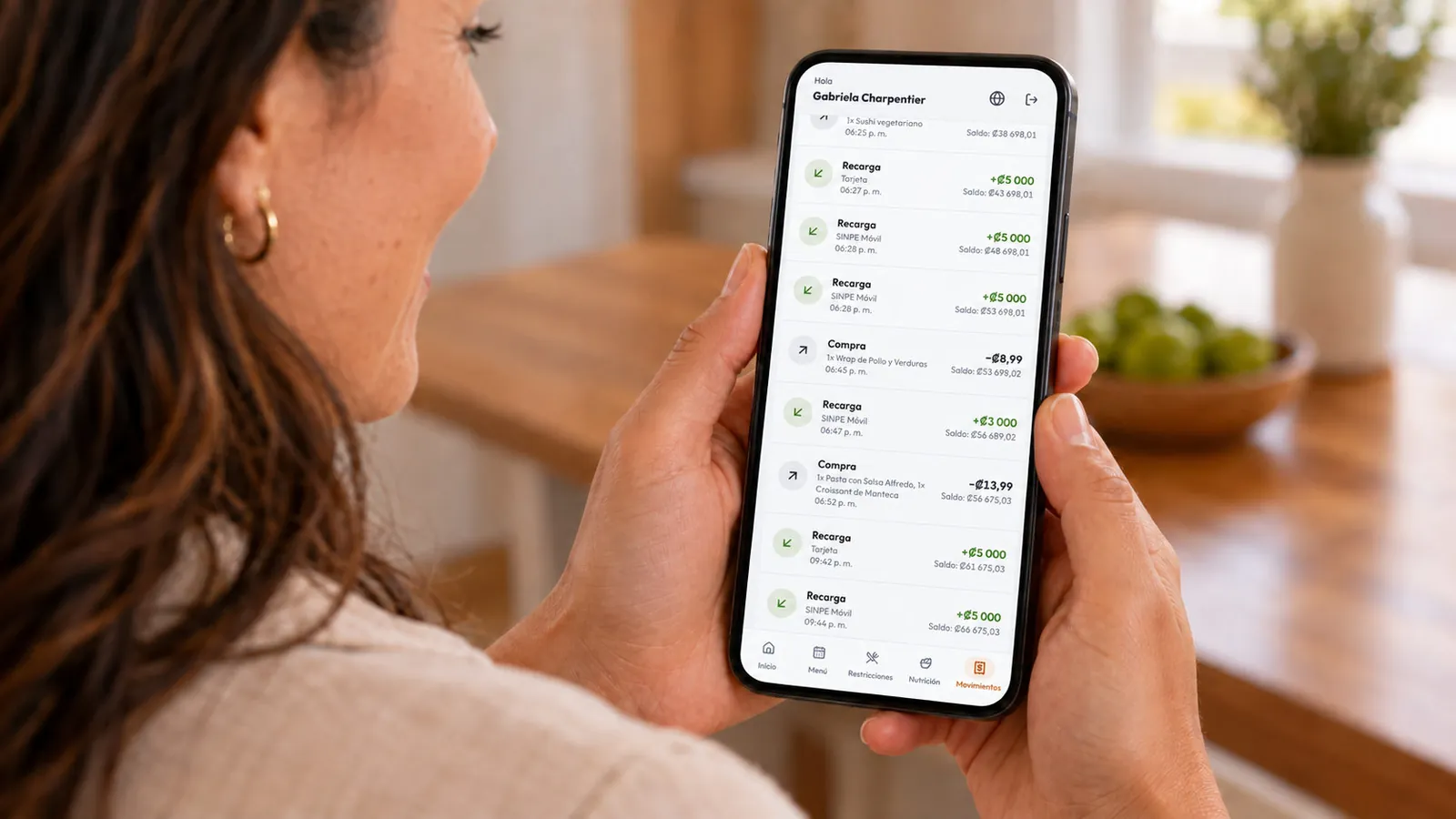
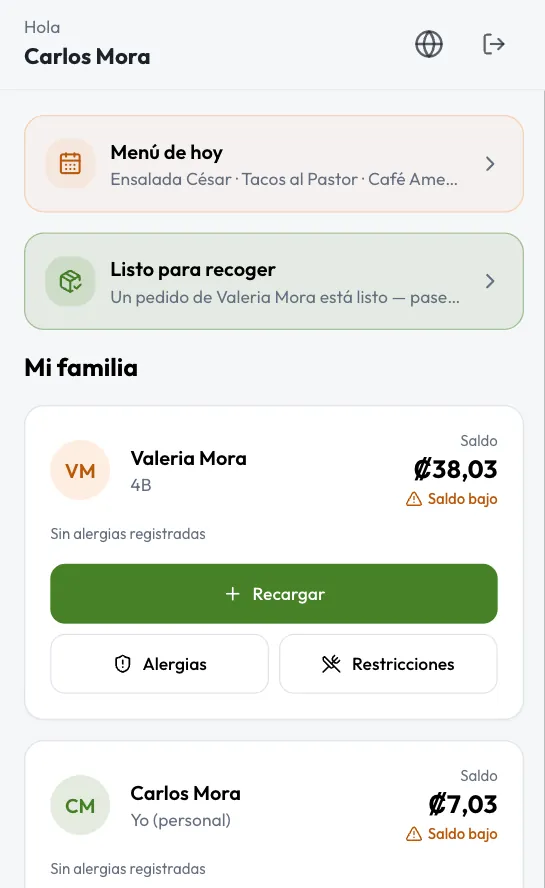
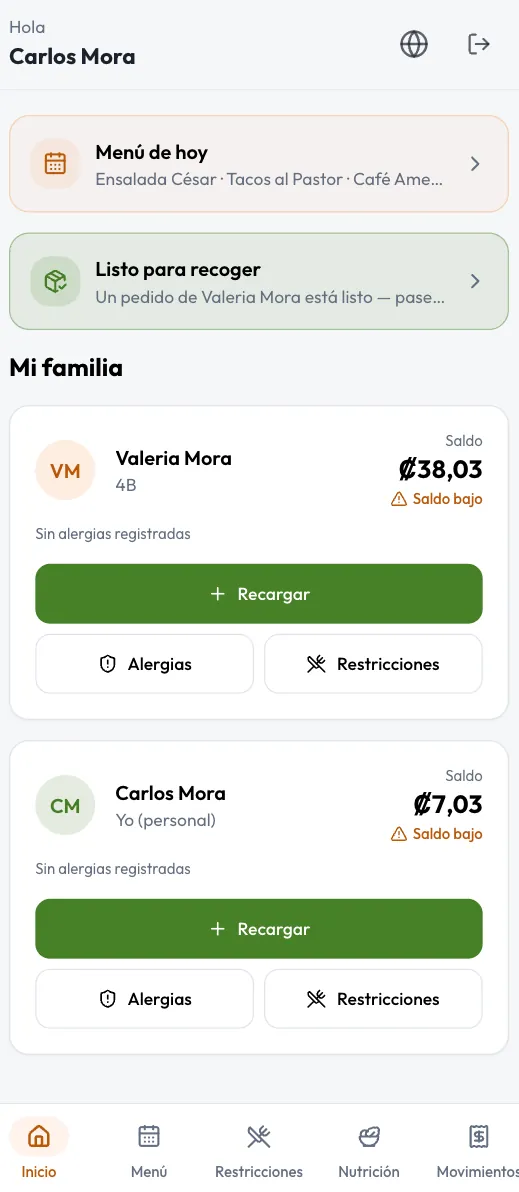
Balance, top-ups, allergies, blocks, daily limit, daily menu and history.
Student wallets topped up by card and SINPE Móvil, rules for parents, self-service kiosks and the whole cafeteria operation on one platform.
3
languages in one app
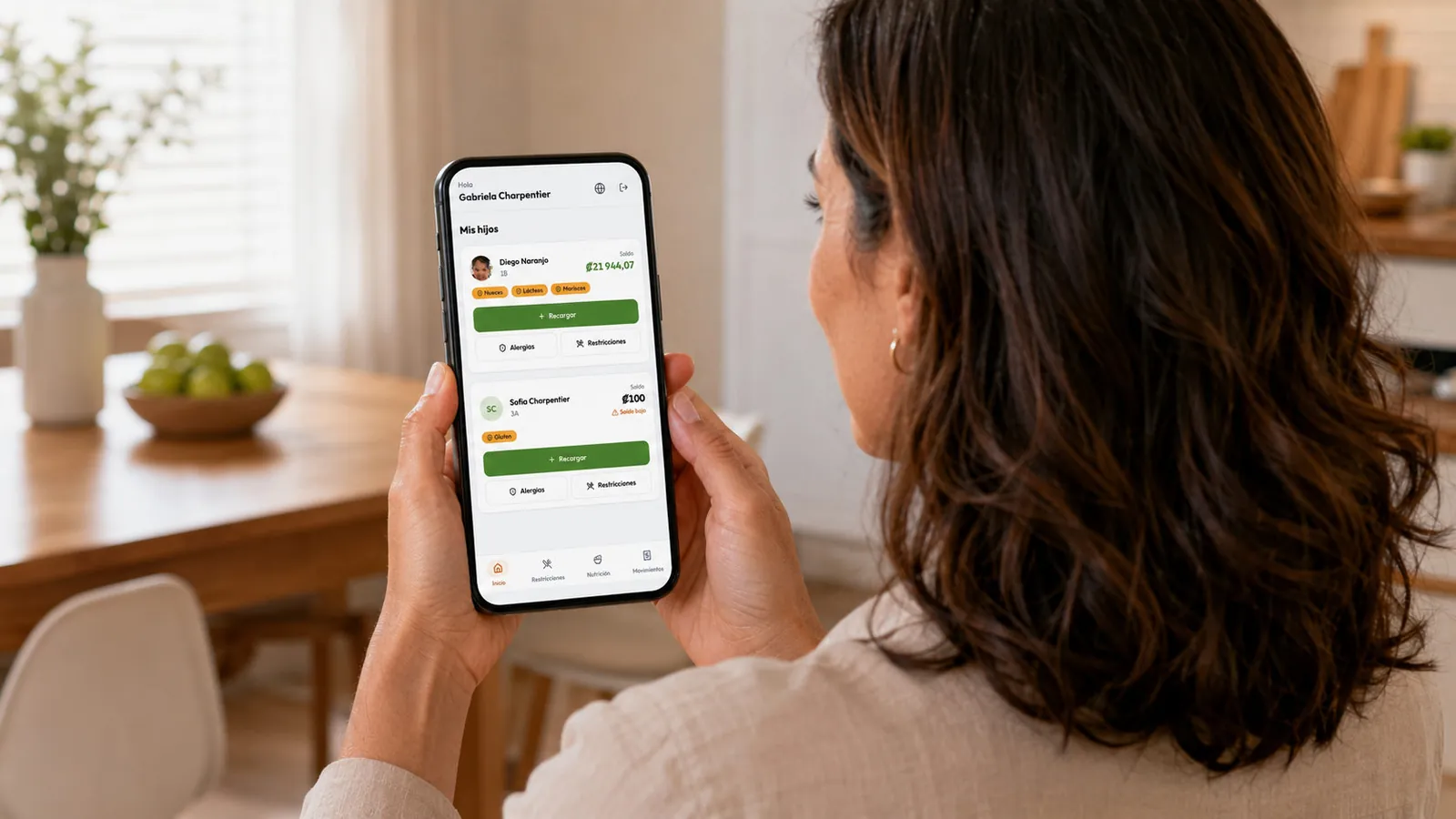
By card or SINPE Móvil, and sets allergies, blocks, a daily limit and alerts from their phone.
At the kiosk with their ID card, in the app from the daily menu, or at the till with the operator.
Applies allergies and blocks, checks the balance, debits the wallet and updates inventory in one operation.
The parent sees the purchase instantly; the school sees sales, orders and inventory live.
Everyone at the school sees exactly what they need, on the device they already have.
Balance, top-ups, allergies, blocks, daily limit, daily menu and history.
Touch point of sale, orders, inventory, sales and invoicing.
Teachers and employees order for themselves and their children.
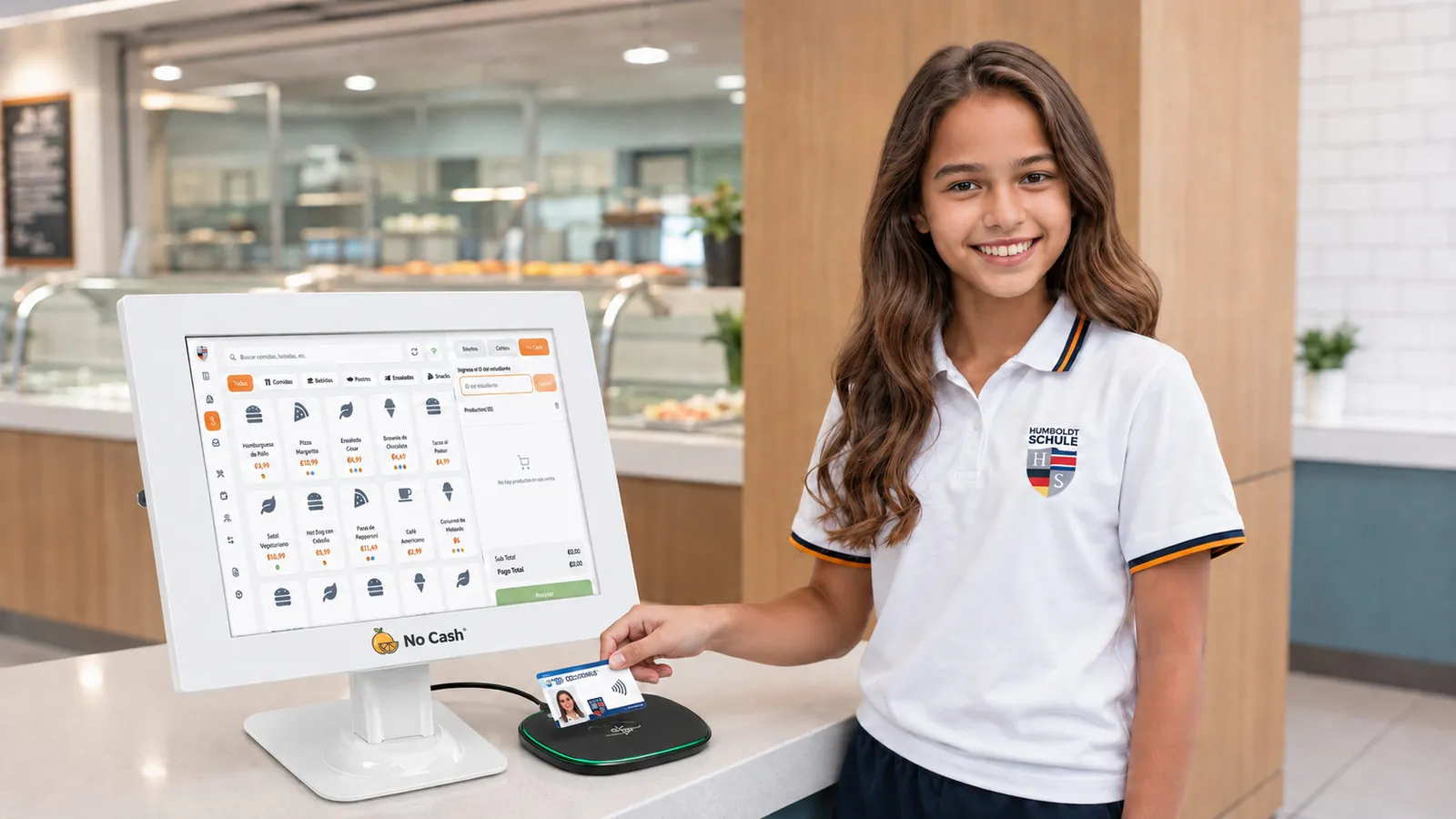
Tap their card at the kiosk, order and confirm. No cash, no lines.
One platform for the till, the kitchen, the back office and the family.
The student taps their card, sees their balance, orders and confirms. No cashier needed.
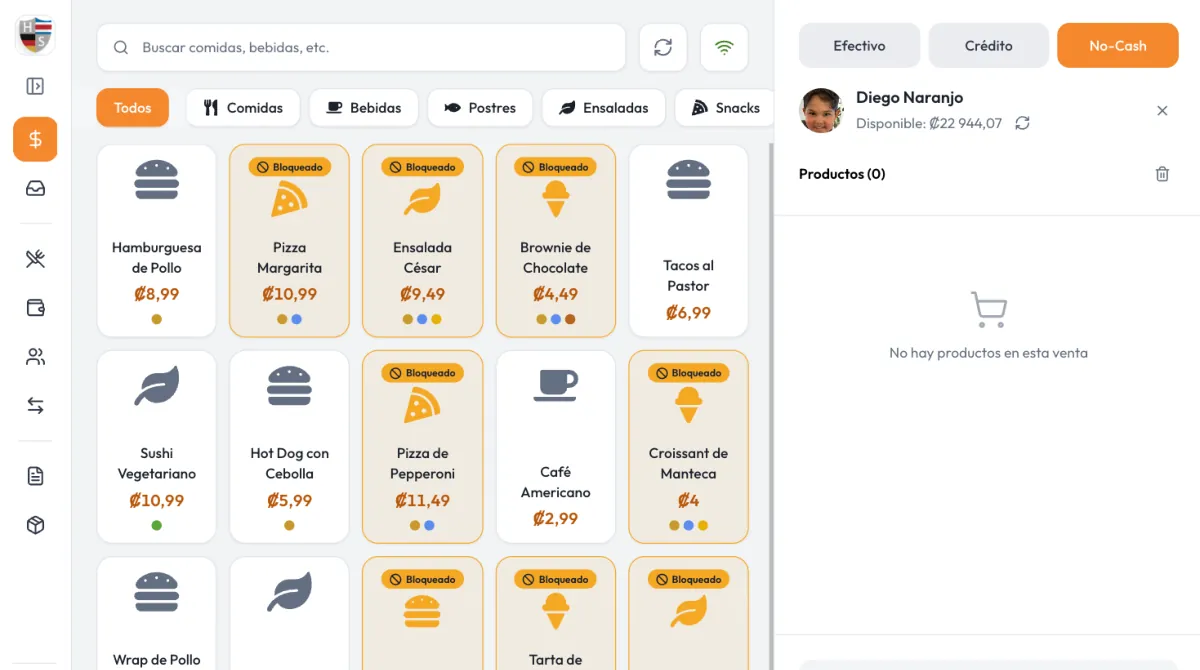
On the cafeteria's iPad or Surface. A wallet sale takes a few taps.
 Key differentiator
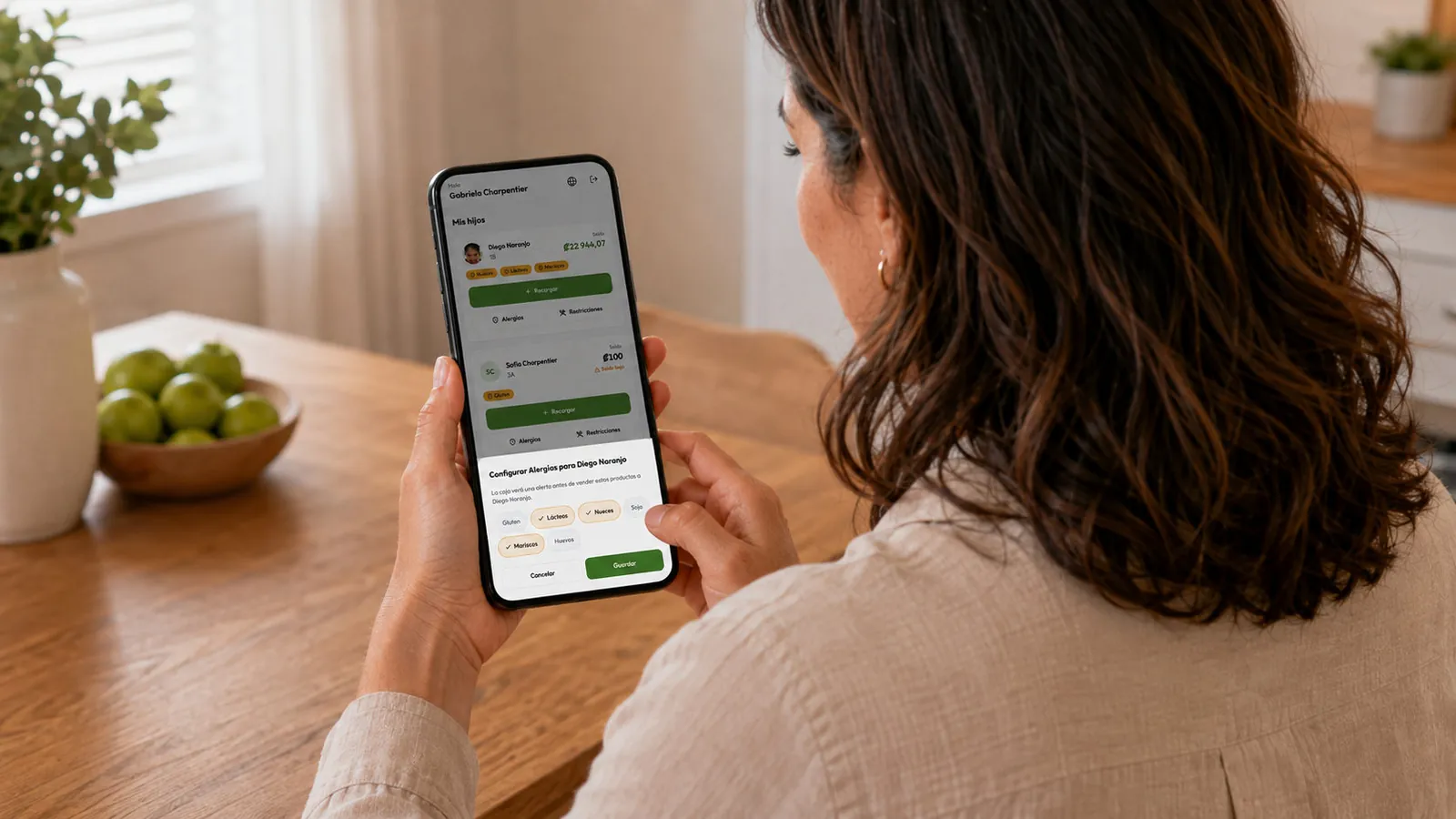
The system rejects the item before it reaches the order. Nobody has to remember.
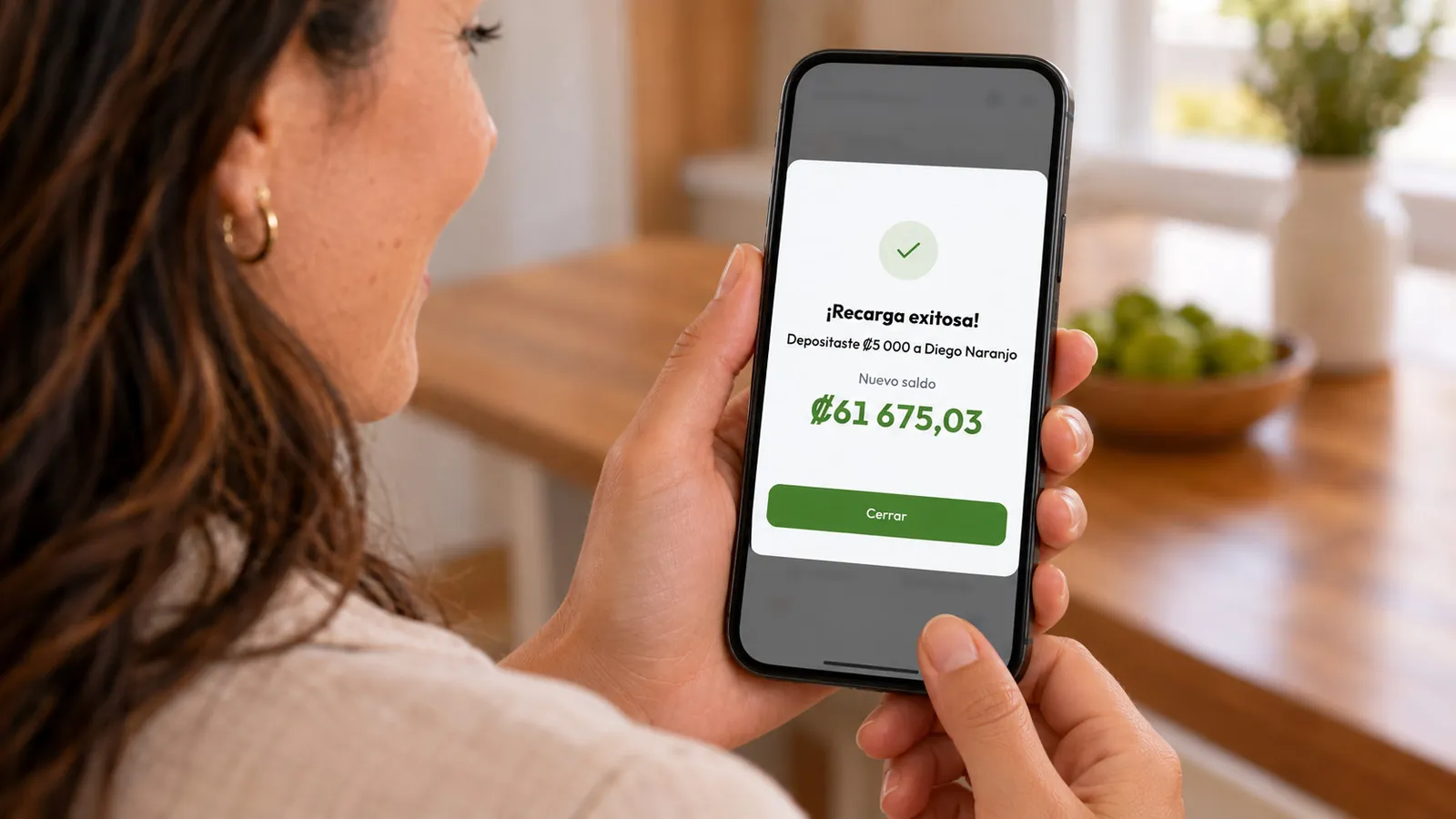
The balance is available instantly at the till, the kiosk and on the phone.
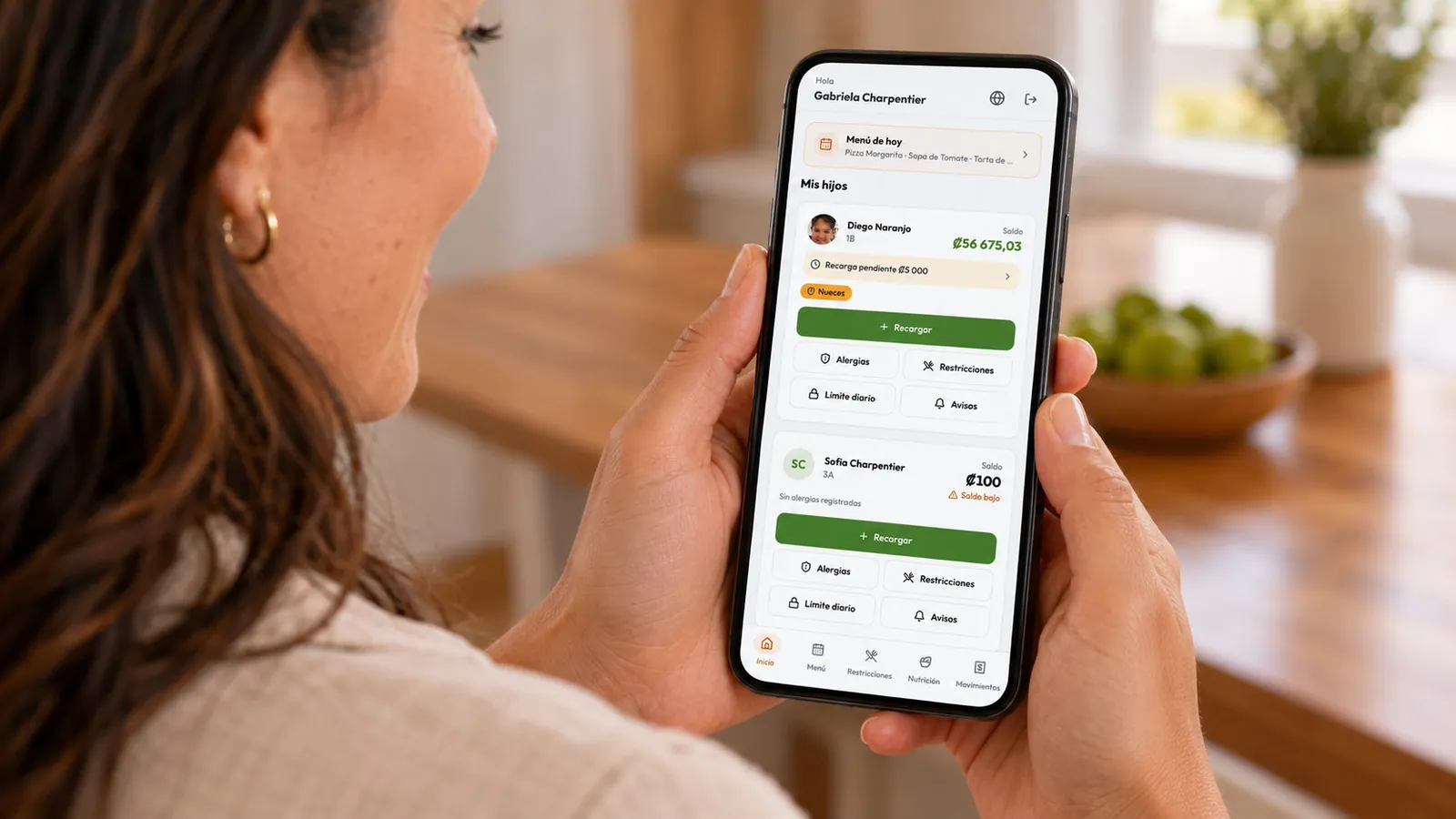 Key differentiator
NoCash estimates when the balance will run out and warns the family the night before.
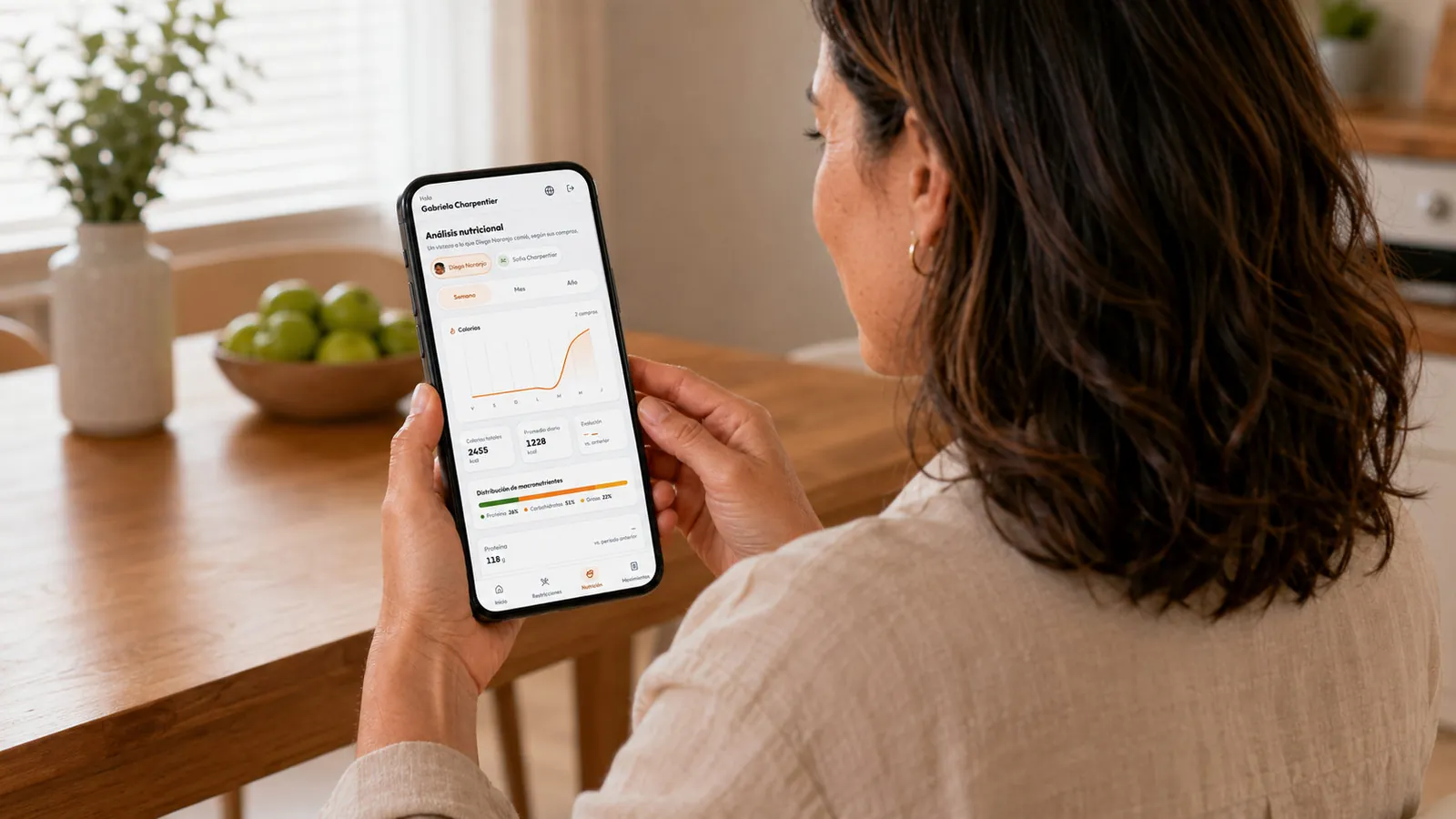 AI
Not just how much they spent: what they're eating, with patterns and better rules.
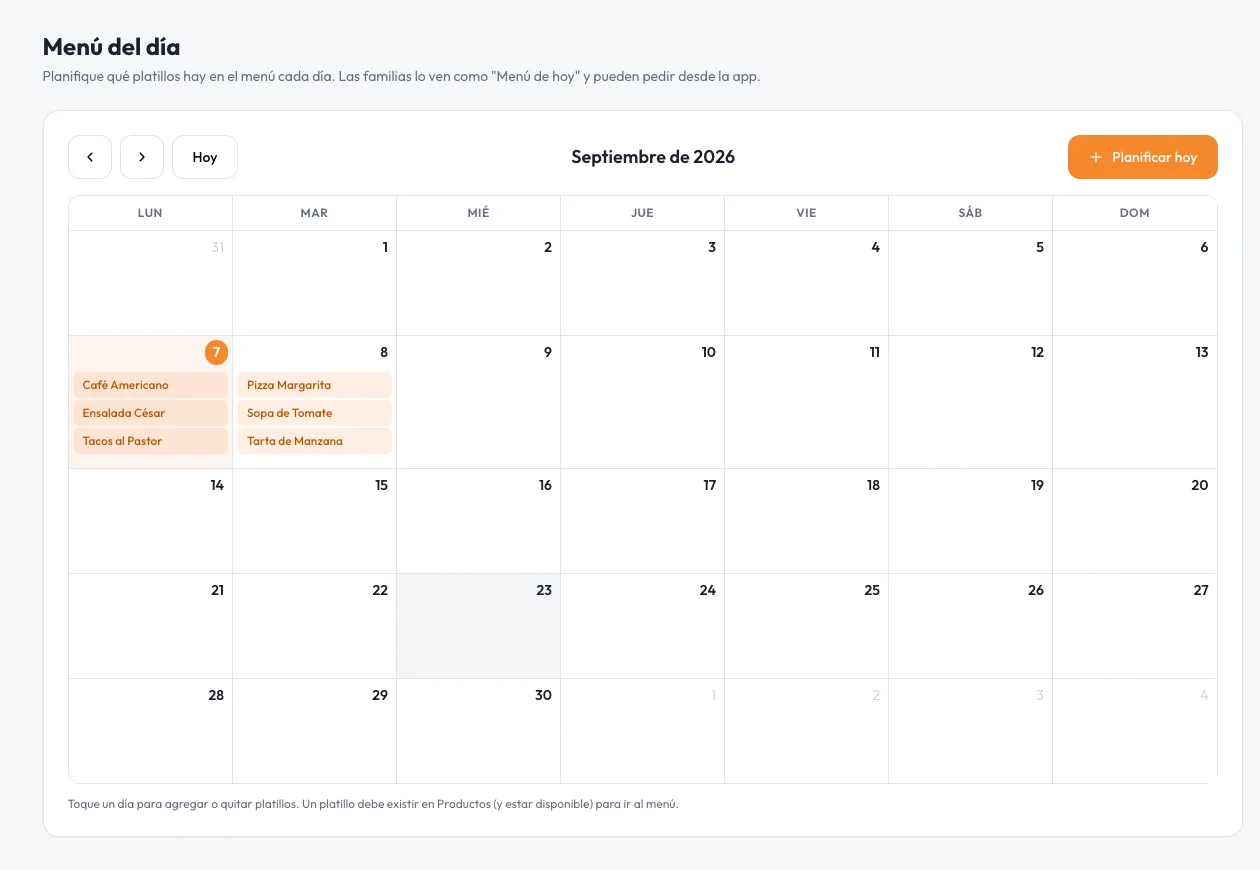
The school plans the week; the family orders in the app before the cutoff.
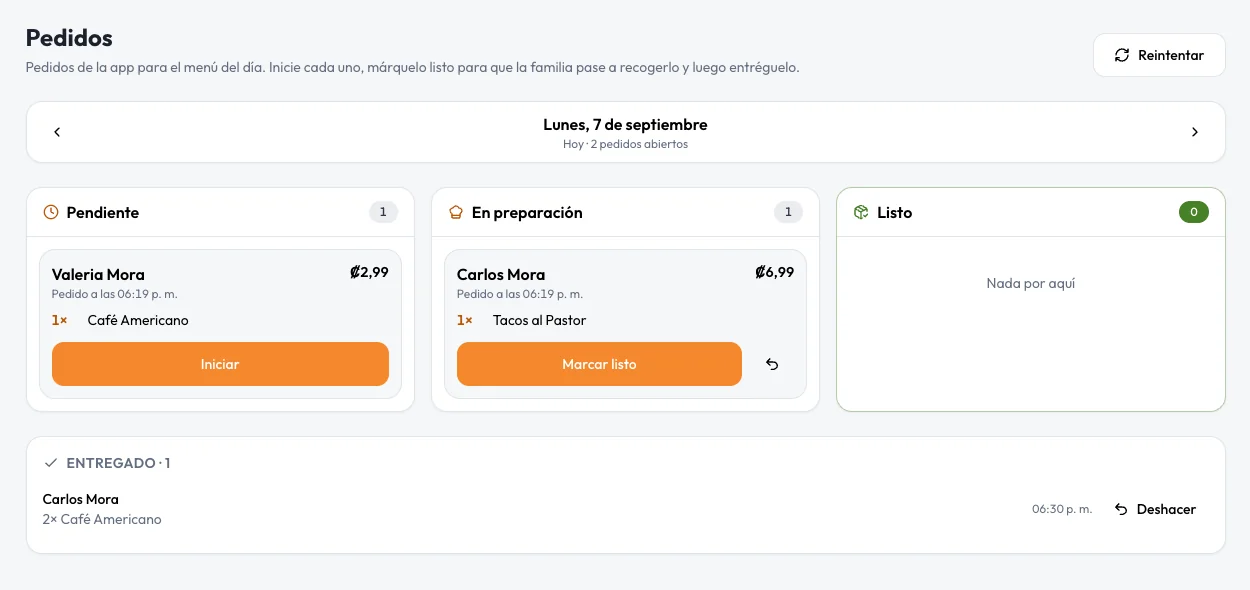
Pending, in progress and ready. The family is notified to pick up.
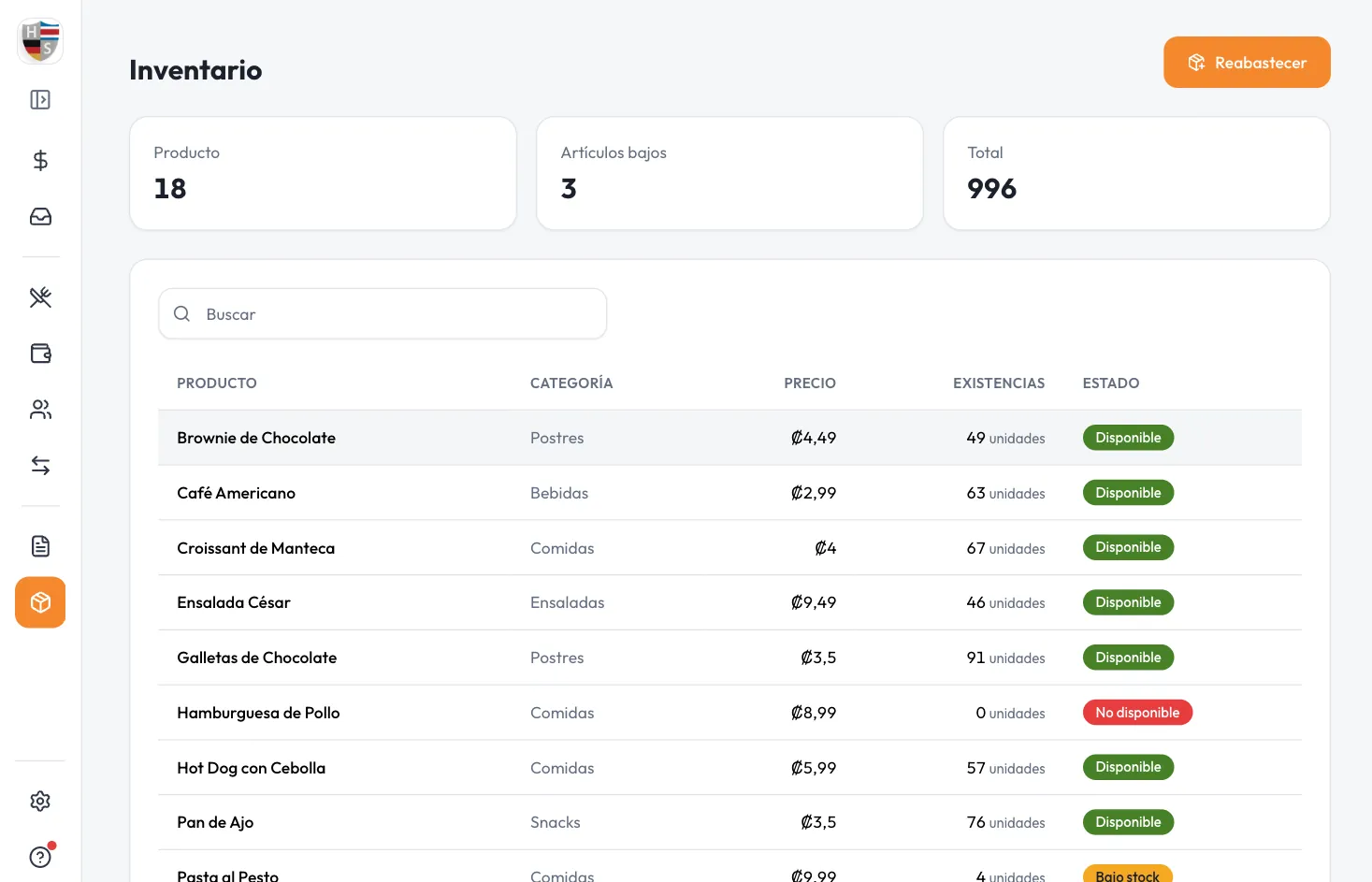
Every sale deducts stock and is recorded with item, amount and operator.
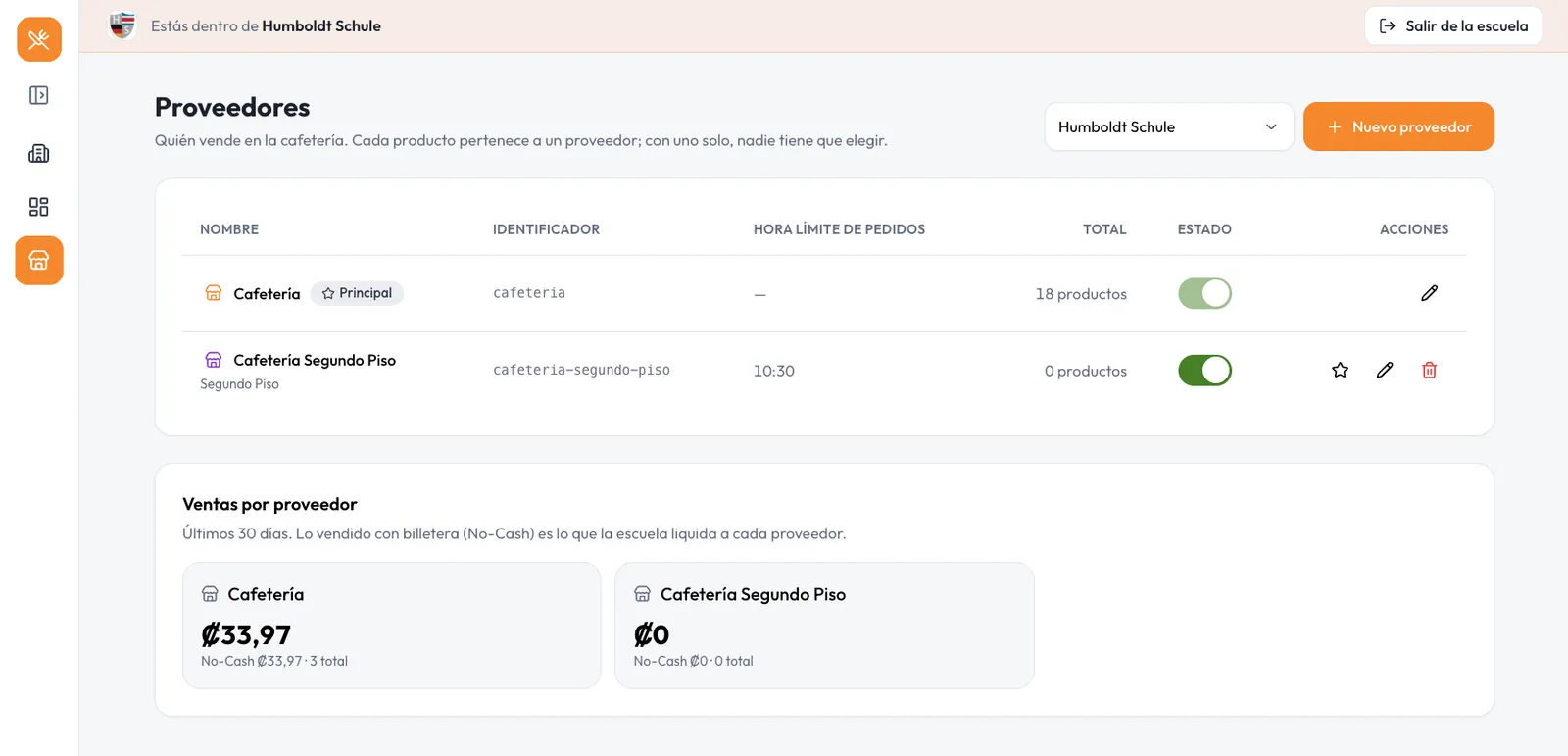
Several cafeterias in one school, each with its own till. One top-up.
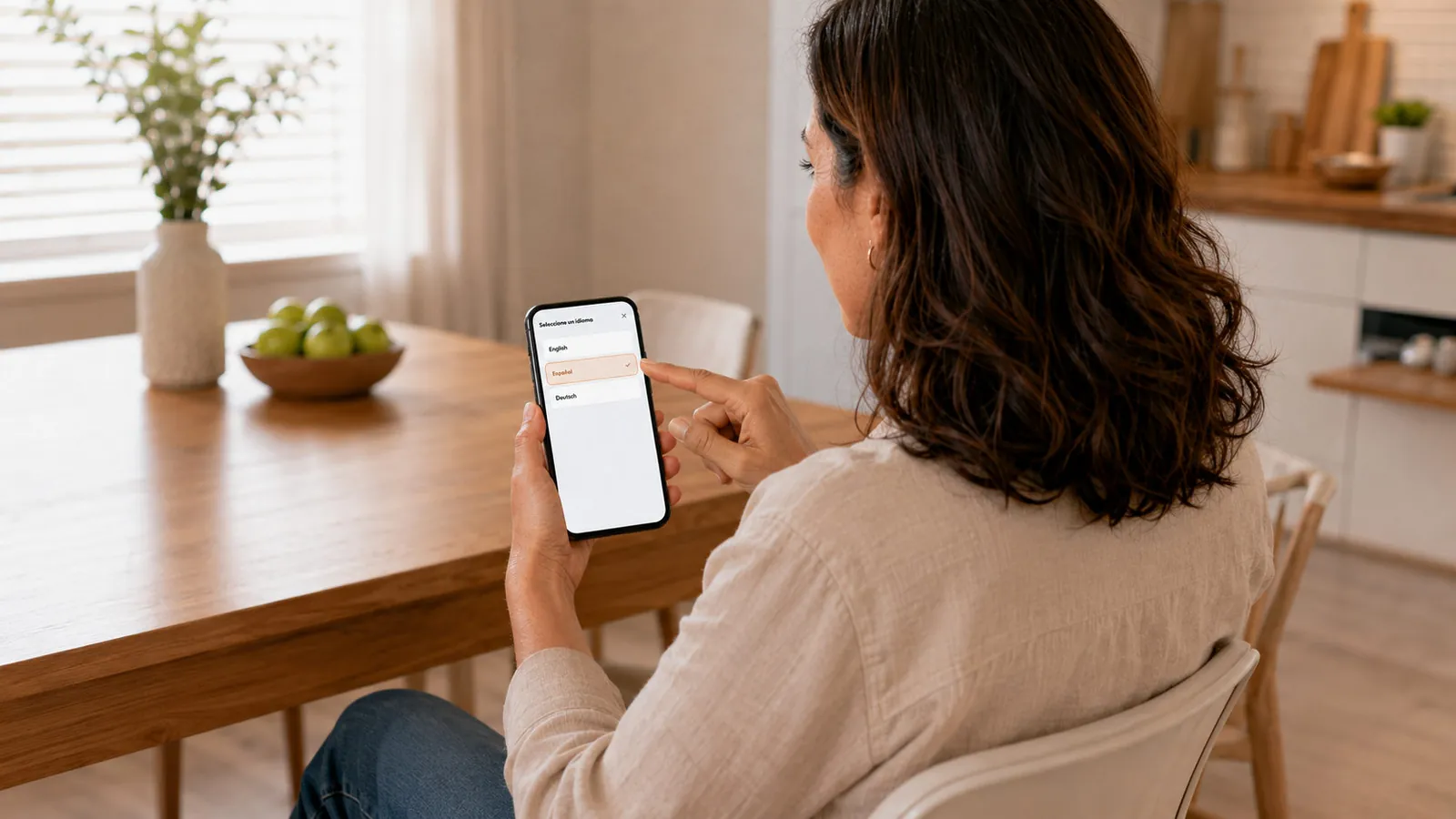
Your school's crest and colors, in Spanish, English and German.
Data separated by school, role-based access and every colón reconciled to zero.
Four guided weeks, from setup to the first cashless recess.
Week 1
Crest, colors, language, currency and team accounts.
Week 2
Students, families, products, allergens and inventory.
Week 3
Kiosks, till tablet and the app for families.
Week 4
A pilot with on-site support and cash as a fallback.
Parents, staff and operators in one app for iPhone and Android: balance, top-ups, daily menu and alerts.
Tell us about your school and we'll arrange an on-site demo with your cafeteria team.